1. Open the Model Configuration
Navigate to the Admin Panel → Models section and select the model you want to edit.
2. Enter Draft Mode
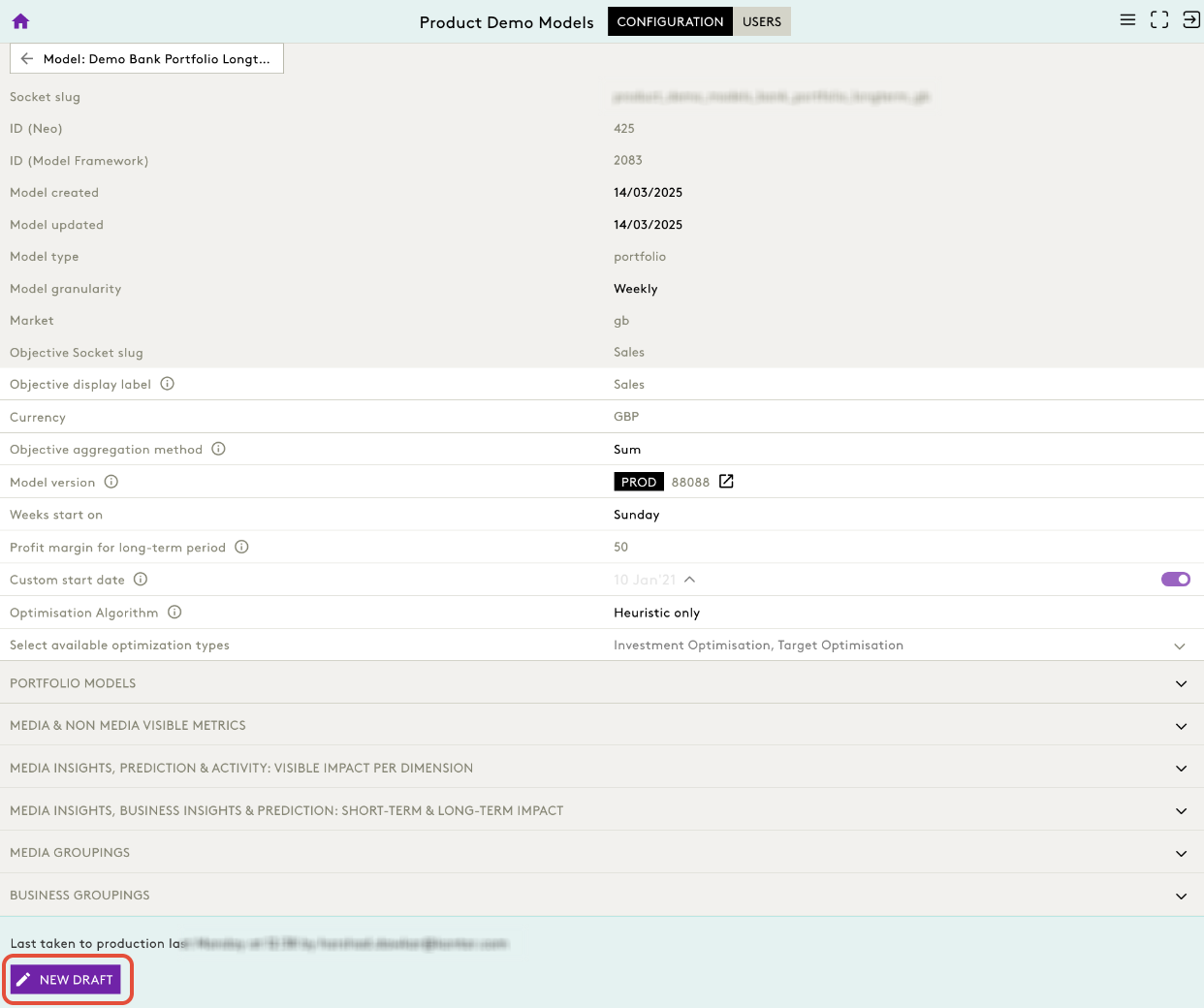
You must be in a Draft to make any changes.
- Click New Draft.
- The model opens in editable mode.
3. Locate Optimisation Settings
Scroll down to the Configuration section of the model.
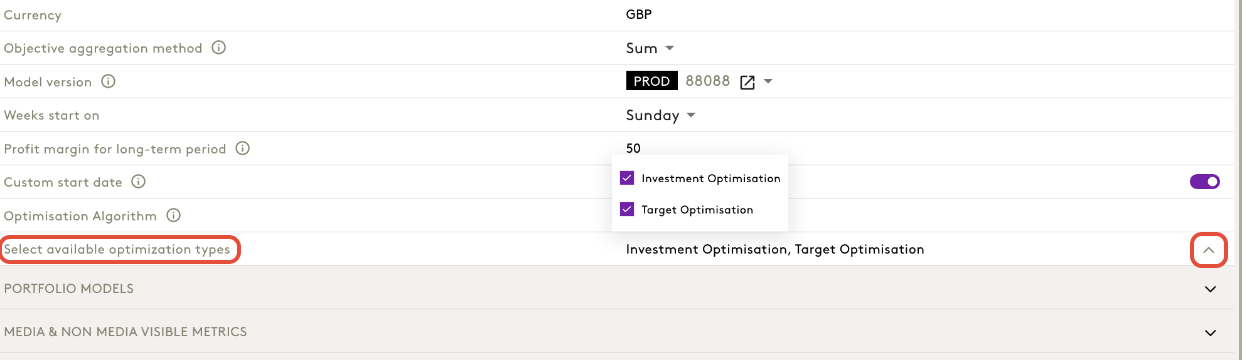
Navigate to Select Available Optimization Types
Displayed as:
Select available optimization types
Click on arrow to find: Investment Optimisation, Target Optimisation
These represent the toggles you can activate/deactivate.
4. Toggle Optimisation Types
You can enable/disable the optimisation types by selecting or deselecting:
- Investment Optimisation
- Target Optimisation
These define which optimisation modes the front‑end makes available to users.
5. Save & Publish Changes
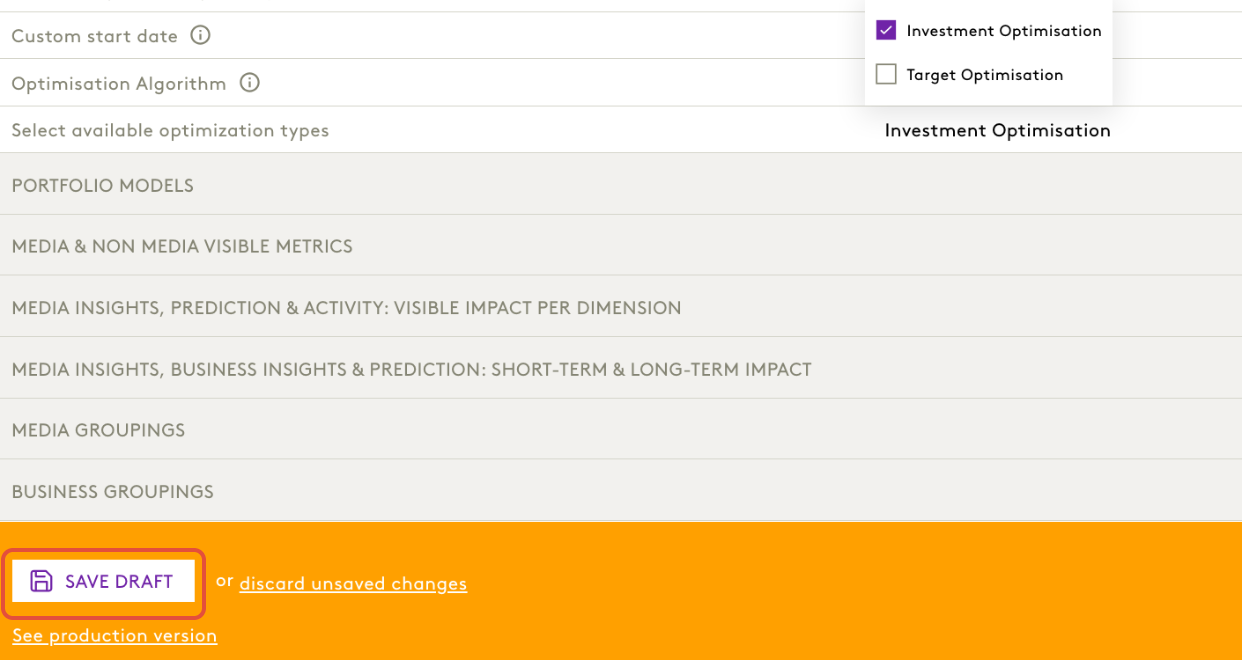
After updating the optimisation settings:
- Click Save Draft
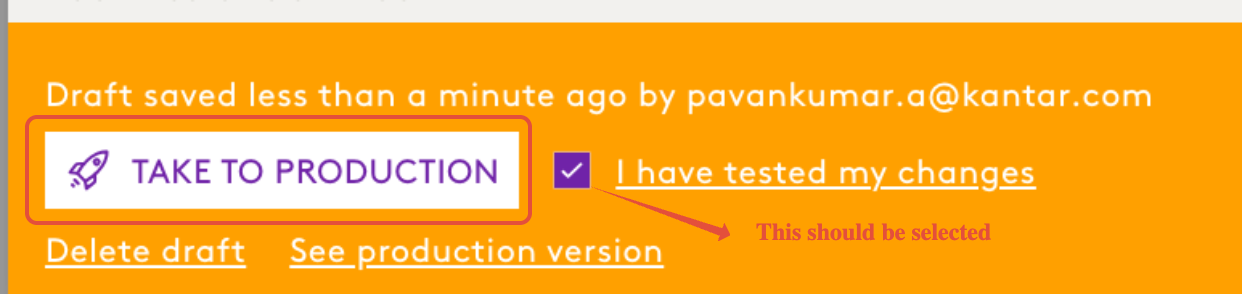
- Once validated, click Take to Production